
Aniimo Face ID: Import Face Data, QR Codes, and Presets
Use Aniimo Face ID, Import Face Data, QR codes, and character presets to copy looks, share faces, and fix common face import errors.
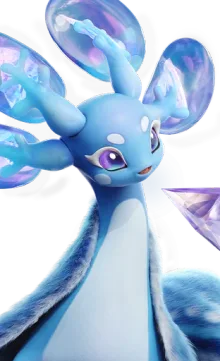
Aniimo Face ID and Import Face Data are the fastest way to copy a character look. Instead of describing slider positions, you export your character's face data and share either a typed Face ID or a QR code that another player can import.
This page covers how Face ID, face import, QR codes, and character presets fit together, where the options live, and what to try when an import fails.
Fast answer: if you already have an Aniimo Face ID, open character customization, choose Import Face Data, enter the Face ID or scan the QR code, preview the look, then save it. If you only want free rewards, use the separate Aniimo codes guide; Face IDs are cosmetic appearance data, not gift codes.
| If you searched for | Go here first | Why |
|---|---|---|
| Aniimo Face ID | Import Face Data checklist | You already have a code or QR image |
| Aniimo Face Codes | Where Players Trade Face Codes | You need community-shared looks |
| Aniimo QR code | Safety and troubleshooting notes | QR images can fail or come from unsafe posts |
| Aniimo character reset | Delete character options | Appearance fixes are safer than account resets |
Face ID, Face Data, and QR Codes
Aniimo's character creator is built from detailed sliders: face shape, cheekbones, cheeks, chin, jawline, makeup, hair, and outfit. Reproducing someone else's character by hand is impractical, so the game exposes the look as shareable data.
| Term players search | What it means in practice |
|---|---|
| Aniimo Face ID | A typed code that identifies saved face data |
| Import Face Data | The menu action used to apply someone else's look |
| Face QR code | A scannable QR version of the same face data |
| Face preset | Community shorthand for an exported look |
| Character import | Usually means importing appearance data, not progress |
The in-game import screen accepts the manual Face ID route and the QR-code route. Both apply the appearance tied to that data to your own character. They do not import creatures, story progress, level, currency, or server data.
What a Face ID Can and Cannot Change
| Changes your look | Does not change your account |
|---|---|
| Face shape and saved appearance data | Creatures, levels, inventory, or story progress |
| QR-imported face presets | Starter choice, server, or Aniimo Pass account |
| Cosmetic editing starting point | Gift-code rewards, Glimmer, or mail rewards |
This boundary matters because many searches mix "face code", "gift code", and "delete character" together. Treat Aniimo Face ID as a customization feature first.
Quick Import Checklist
Use this if you already have a code and only want the short answer.
| Step | What to do |
|---|---|
| 1 | Open character customization |
| 2 | Choose Import Face Data |
| 3 | Scan the QR code or enter the Face ID |
| 4 | Preview the imported face before confirming |
| 5 | Save the look, then adjust hair, makeup, or outfit if needed |
If the code came from Reddit or Discord, check whether the screenshot matches the code before you save. Launch-week threads often mix several codes in one comment chain.
Safety note: do not scan QR images that send you to outside login pages, reward pages, or account-verification pages. Aniimo face import belongs inside the game customization flow. Gift code redemption also happens inside the game, not on random web forms.
How to Share Your Face
The flow is export first, share second.
- Open the character customization menu.
- Find the design or face section, where the adjustment options and the data-sharing option sit together.
- Use the export option to generate your character's face data.
- Save the resulting QR code or Face ID and share it.
Because the export produces both a QR image and an ID, you can post whichever suits the platform: an image on Reddit threads, or a typed ID in Discord chat.
How to Import Someone Else's Face
- Open the customization menu and find Import Face Data.
- Choose to scan a QR code or enter a Face ID manually.
- Confirm the import.
The import applies the appearance associated with that code to your character. Players report that the import can fail with a "face is already in usage" message, which appears to be a state conflict rather than a problem with the code itself. If you hit it, changing a small detail on your current character first and then re-importing is the usual workaround.
Import Face Data Troubleshooting
| Problem | What to try |
|---|---|
| Face ID does not work | Recheck capital letters, similar characters, and copied spaces |
| QR code will not scan | Open the image full-size, increase brightness, or use the typed Face ID instead |
| "Face is already in usage" | Change one small current-face slider, save, then import again |
| Imported face looks different | Check hair, outfit, makeup, and lighting separately from face shape |
| Cannot find the import button | Look in the face/customization section, not in account or server settings |
Do not use account reset, character deletion, or server switching to fix a Face ID problem. Face import is a cosmetic system; account operations are a different risk category.
Where Players Trade Face Codes
| Place | Best for |
|---|---|
| r/Aniimo | Threads with screenshots next to codes |
| Official Discord | Real-time swaps and requests |
| In-game | Friends sharing directly |
Reddit threads are the most useful format for this because a screenshot plus a code gives you both the result and the data. Discord is faster but the codes scroll away.
Best Format for Posting a Face Code
| Include | Reason |
|---|---|
| One screenshot | Lets people see the final result before importing |
| Typed Face ID | Helps mobile and desktop players copy it |
| QR image | Fastest import path when scanning works |
| Cosmetic notes | Hair, outfit, makeup, and lighting can change the result |
If you are sharing someone else's look, credit the original post when possible and avoid reposting a code without the matching screenshot.
Search Terms That Mean the Same Thing
Players use several names for the same workflow. If you are searching community posts, try all of these:
- Aniimo face id
- Aniimo face import
- Aniimo import face data
- Aniimo face QR code
- Aniimo character face code
- Aniimo face preset
- Aniimo character import
Code Sharing Is a Pattern in Aniimo
Face Codes are not an isolated feature. The launch notes for the Home system state that furniture groups can now be shared via codes and that multi-select limits were raised, which is the same idea applied to interior design.
That is worth knowing if you enjoy the building side of the game: the sharing mechanic exists in more than one system, so a look or a layout you like can usually be transferred rather than rebuilt.
Face Codes and Your Account
A Face Code carries appearance data, not progress. Importing someone's face does not affect your creatures, your server, your level, or your inventory. It also does not change your starter choice, which is locked in at character creation separately.
If you imported a face and then want to change something about it, the underlying sliders remain editable once applied. The code is a starting point rather than a fixed template.
Frequently Asked Questions
What are Face Codes in Aniimo? Shareable face data for your character, distributed as a Face ID or a QR code and applied through the in-game Import Face Data screen.
Is Aniimo Face ID the same as Import Face Data? Not exactly. Face ID is the code; Import Face Data is the menu action that applies the code or QR data.
How do I import a Face Code in Aniimo? Open the customization menu, select Import Face Data, then scan the QR code or type the Face ID and confirm.
Can I import Aniimo face data with a QR code? Yes. The QR code is the scannable version of the face data, while the Face ID is the typed version.
Why does my Face Code import fail? Players most often report a "face is already in usage" message. Changing a detail on your current face and retrying usually clears it.
Where do people share Aniimo Face Codes? The Aniimo subreddit has screenshot-and-code threads, and the official Discord is used for faster swaps.
Do Face Codes cost anything? No. Sharing face data is free, though some appearance items and customization options are purchased with Glimmer.
Does importing a face affect my progress? No. A Face Code carries appearance data only.
Related Aniimo Customization Guides
| Need | Guide |
|---|---|
| Free rewards for customization currency | Aniimo Codes |
| Character creation and appearance options | Aniimo Character Creation |
| Reset or restart questions | Aniimo Delete Character |
| Community places to find shared looks | Aniimo Reddit |
Advertisement
Related Guides
Aniimo Character Creation and Customization Guide
How Aniimo character creation works: presets, face and body options, where Glimmer customization items come from, and how players share appearance codes.
Aniimo Delete Character: Reset, Restart, and Account Options
Can you delete or reset an Aniimo character? Learn restart options, account support, server locks, appearance fixes, and safer alternatives.